
A real terminal.
On your phone. On your iPad.
IOSTerm is a native iOS SSH, SFTP and terminal client built for developers and sysadmins. Full ANSI terminal with tmux, remote files in the Files app, Live Activities, Shortcuts, Handoff — and YubiKey hardware keys over NFC and USB-C. No accounts, no tracking, no backend.
iPhone & iPad · iOS 17+ · one-time purchase, no subscriptions
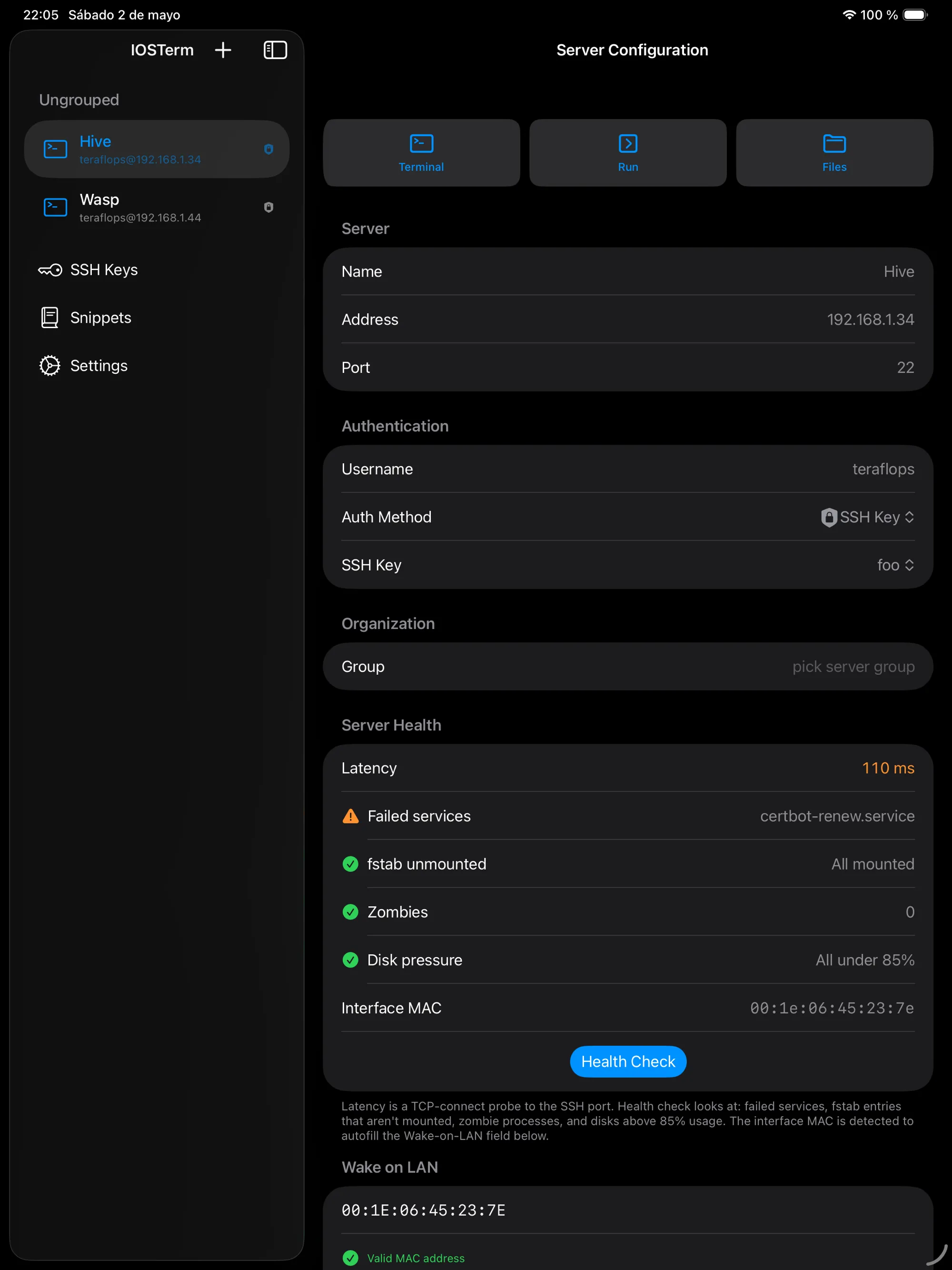
Hardware keys · new in 9.2
Your SSH key never leaves the YubiKey.
Sign in with a YubiKey over NFC on iPhone and over USB-C on iPad. The private key is generated inside the token: it can't be copied, exported or phished, and the server sees an ordinary ecdsa-sha2-nistp256 login. Nothing custom on the server, nothing to back up on the phone.
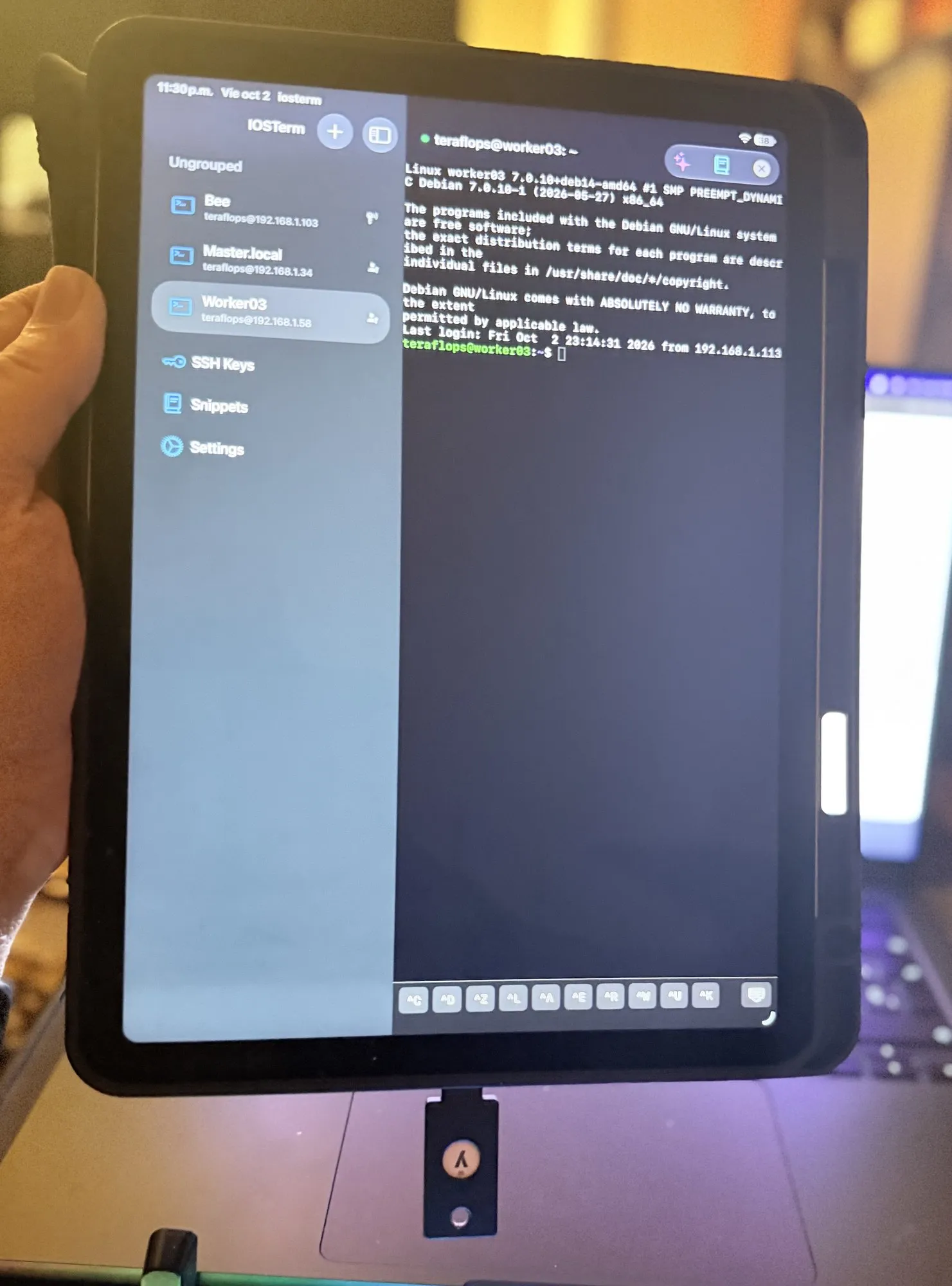
Signed in over USB-C · iPad
-
One key, both devices
PIV works over the USB-C port on iPad and over NFC on iPhone, from the same code path. FIDO2 keys (sk-ssh-ed25519) keep working over NFC on iPhone.
-
Set up from the app
Protect with YubiKey asks the token to create a P-256 key in PIV slot 9a, signs in with the server’s current credentials, installs the public key and switches the connection over. No ykman, no Mac.
-
PIN plus the key in your hand
Every login needs the PIN and the physical token — an NFC tap or the USB-C port. A stolen phone, a leaked backup or a copied config file gets an attacker nothing.
| Method | iPhone | iPad | The server needs |
|---|---|---|---|
| Hardware Key (PIV) slot 9a · ECDSA P-256 | NFC | USB-C | ecdsa-sha2-nistp256 in authorized_keys |
| Hardware Key (FIDO2) resident · sk-ssh-ed25519 | NFC | — | OpenSSH 8.2+, sk-ssh-ed25519 in authorized_keys |
Protect with YubiKey
Set up without a desktop.
Open a server, pick Protect with YubiKey (PIV), and the app does the whole enrolment while you hold the key. The next connection is PIN, tap, done.
- 1 Read PIV slot 9a over USB-C or one NFC tap — no PIN needed for this
- 2 Generate a P-256 key inside the YubiKey skipped if the slot already holds one
- 3 Sign in with the server’s current credentials password, key file or FIDO2
- 4 Install the public key an idempotent append to ~/.ssh/authorized_keys
- 5 Switch the server to PIV the password stays in the Keychain as a fallback
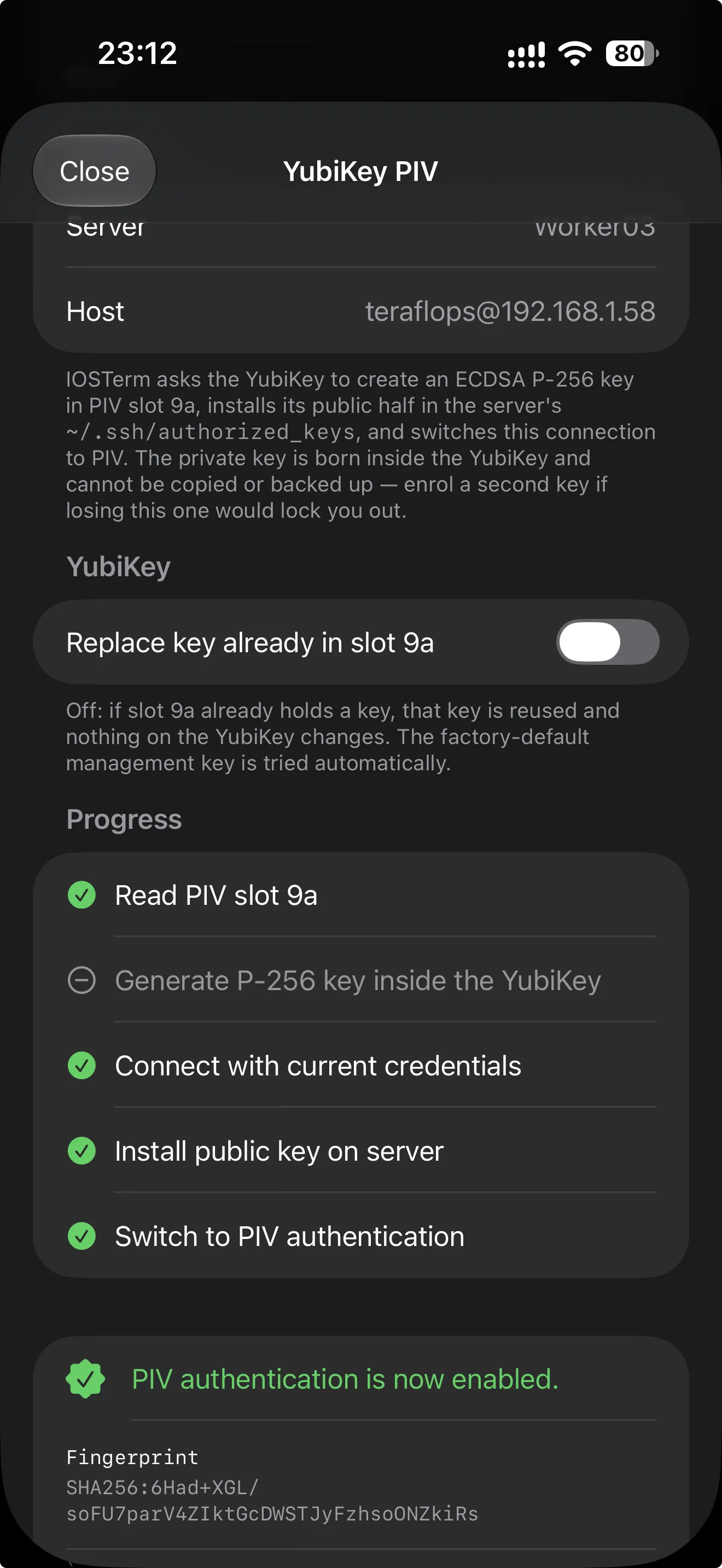
Enrolment · iPhone
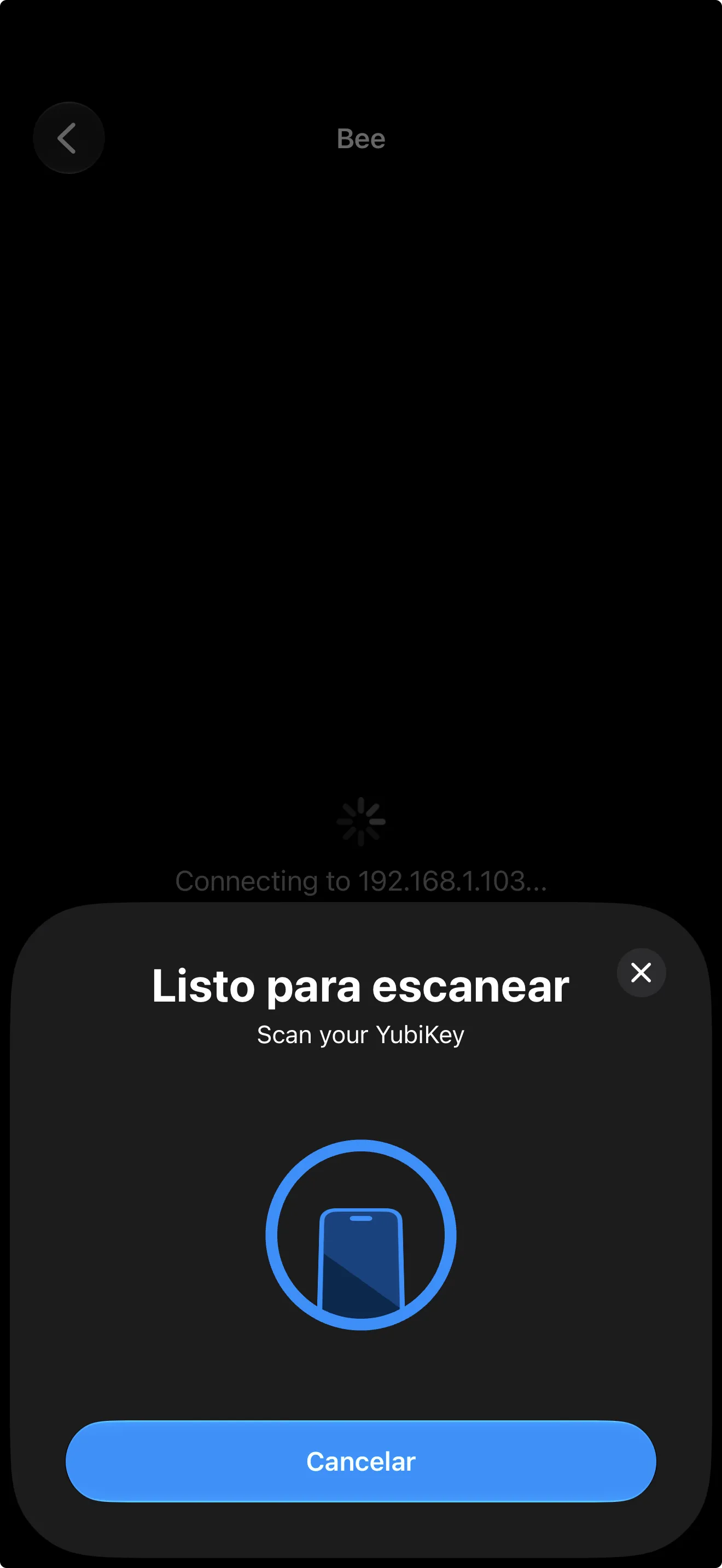
Sign in · NFC
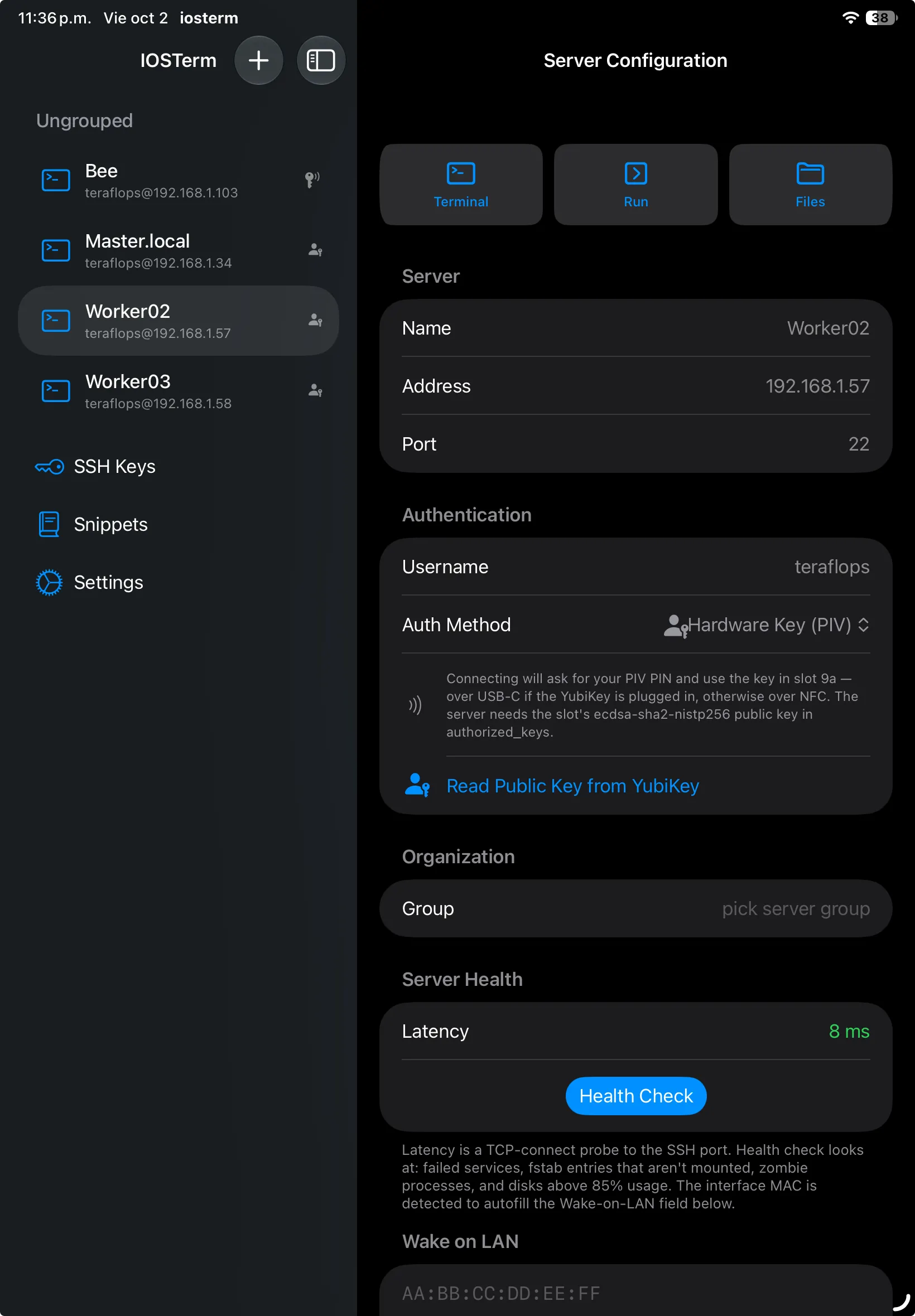
Hardware Key (PIV) in the server settings · iPad
Works with the YubiKey 5 series. PIV needs firmware 5.3 or later; FIDO2 keys need OpenSSH 8.2 or later on the server. YubiKey is a trademark of Yubico.
What's inside
A full terminal, not a toy.
Every feature you expect from a desktop SSH client — and a few that only make sense on a device that knows your Apple ID, your Keychain, and the Files app.
-
YubiKey over NFC and USB-C
FIDO2 keys on iPhone, PIV keys on iPhone and iPad. The private key lives in the token — the app can even generate it there and install the public half on the server for you.
-
Terminal that actually works
Full ANSI terminal emulator with 256-color + truecolor, mouse support, UTF-8, and bracketed paste. Vim, htop, btop, nano — everything renders the way you expect.
-
tmux control mode
Real tmux integration over control mode (-CC): native windows and panes, sessions that survive wifi drops and backgrounding. Reconnect on the train, pick up exactly where you left off.
-
Remote files in Files.app
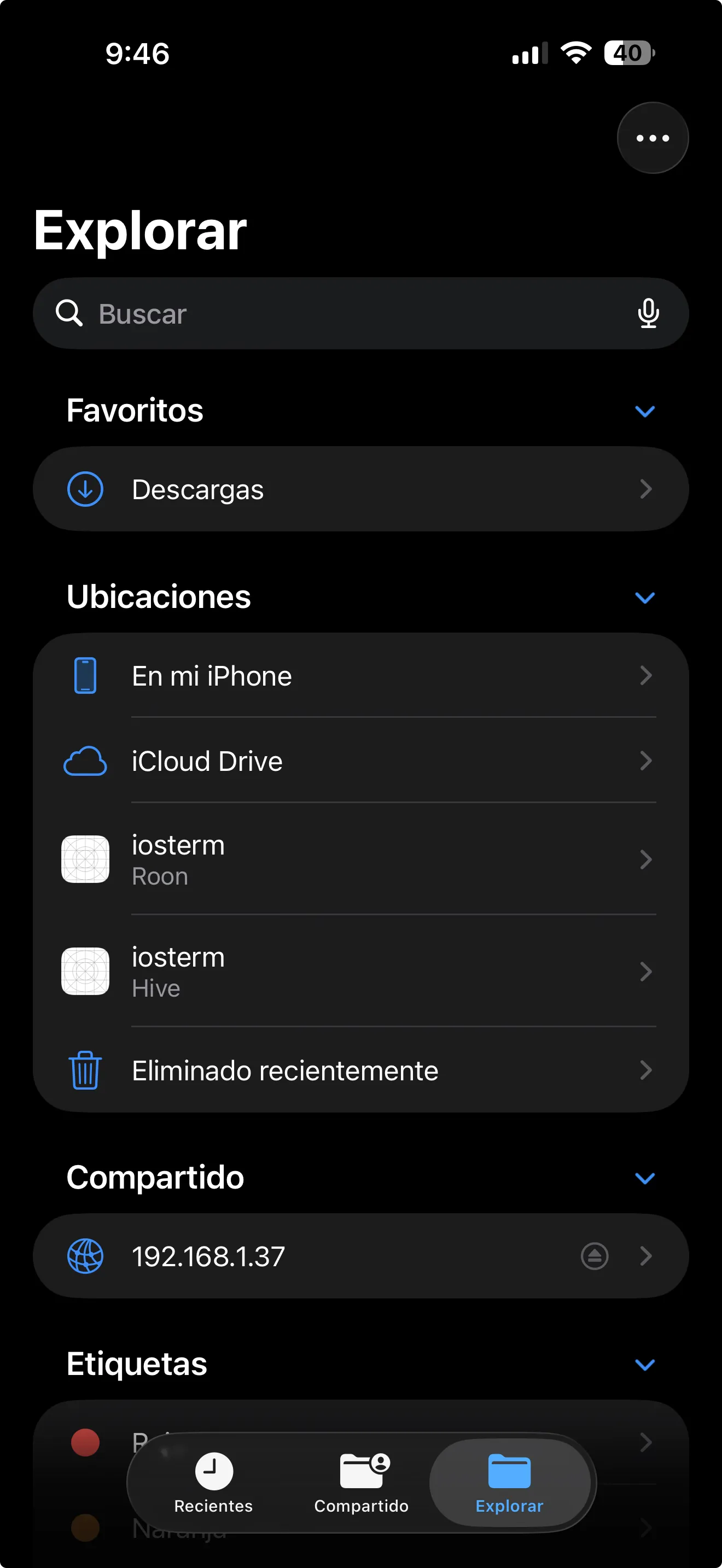
Every server registers as a File Provider domain. Browse, open, and edit remote files from any app — Pages, Textastic, Working Copy — like iCloud Drive for your servers.
-
Run sheet
One-shot commands without opening a full shell. Pull down the Run sheet, type a command, get the output. History syncs privately through your iCloud account.
-
Siri & Shortcuts
App Intents for connect, healthcheck and restart. Donate frequent actions so Siri learns your workflow: "Hey Siri, restart nginx on hive."
-
Handoff between devices
Start a command on your iPhone, finish it on your iPad or Mac. Unfinished drafts ride the private CloudKit database across every device you own.
-
Modern crypto, legacy mode
Ed25519, ECDSA, RSA-2048+, modern key-exchange and ciphers by default. Flip the Legacy toggle for OpenSSH < 6.7 and RHEL 5/6 servers — nothing is forgotten.
-
Optional AI drawer
Context-aware help from the Anthropic API using your own key. Your device talks directly to anthropic.com — the developer runs no backend, sees no prompts, stores nothing.
-
Snippets, from the camera too
Keep the commands you run often one tap away in the terminal toolbar. Capture new ones from a screen, a book or a whiteboard with the camera.
-
Wake-on-LAN & health checks
Wake a sleeping box from the server list, then see what is actually broken: failed units, unmounted fstab entries, zombie processes, disks under pressure.
-
Live tail
Long-press any file in the SFTP browser to follow it. Sticks to the bottom until you scroll up, pauses when you ask, keeps the last few thousand lines.
Under the hood
It's a real SSH client. Not a shim.
IOSTerm speaks the actual SSH protocol to your actual servers. No cloud relay, no middleman, no "server-assisted" anything. Your device opens a TCP socket and performs the handshake — exactly like OpenSSH does.
- Ed25519, ECDSA P-256/384/521, RSA 2048+, with modern KEX and ciphers (Curve25519, ChaCha20-Poly1305, AES-GCM).
- tmux -CC control mode for sessions that survive network drops and backgrounding.
- Same keys, same config, same authorized_keys entries. Nothing custom on the server.
- Optional legacy mode for OpenSSH < 6.7 and RHEL 5/6 boxes.
Day-to-day ops
A shell is where it starts.
The things you actually do from a phone at 11pm: check whether a service died, wake the NAS, re-run the command from this morning, watch a log scroll by.
-
tmux control mode
Native windows and panes over tmux -CC on its own socket, so it never collides with the tmux you already run. Wifi drops, app backgrounds, you come back to the same panes.
-
Health check and Wake-on-LAN
Four signals that mean something is wrong — failed units, fstab entries that aren’t mounted, zombies, disks under pressure — plus a latency probe and a magic packet for the box that went to sleep.
-
Snippets and live tail
The commands you run every day, one tap away in the terminal toolbar. Long-press a file in the SFTP browser to follow it as it grows.
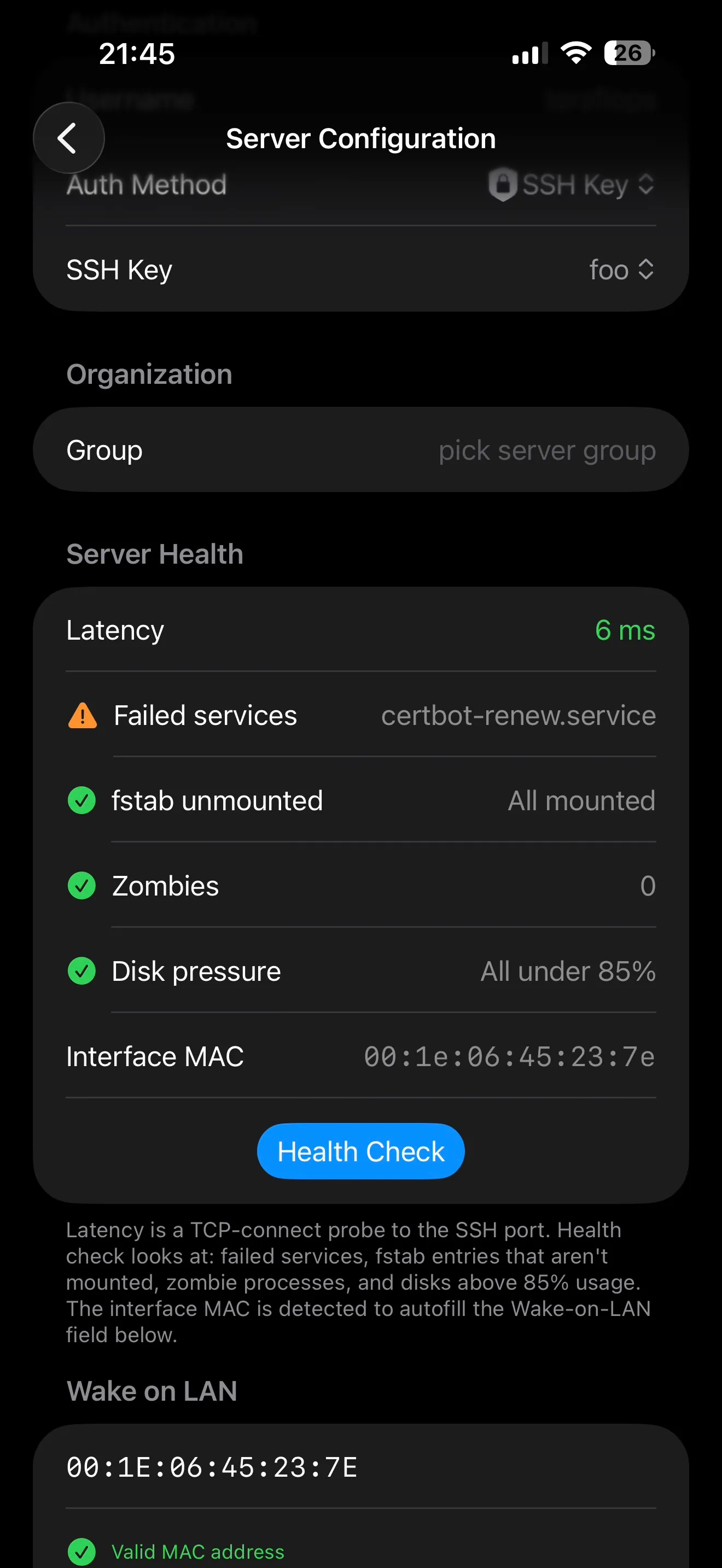
Server health
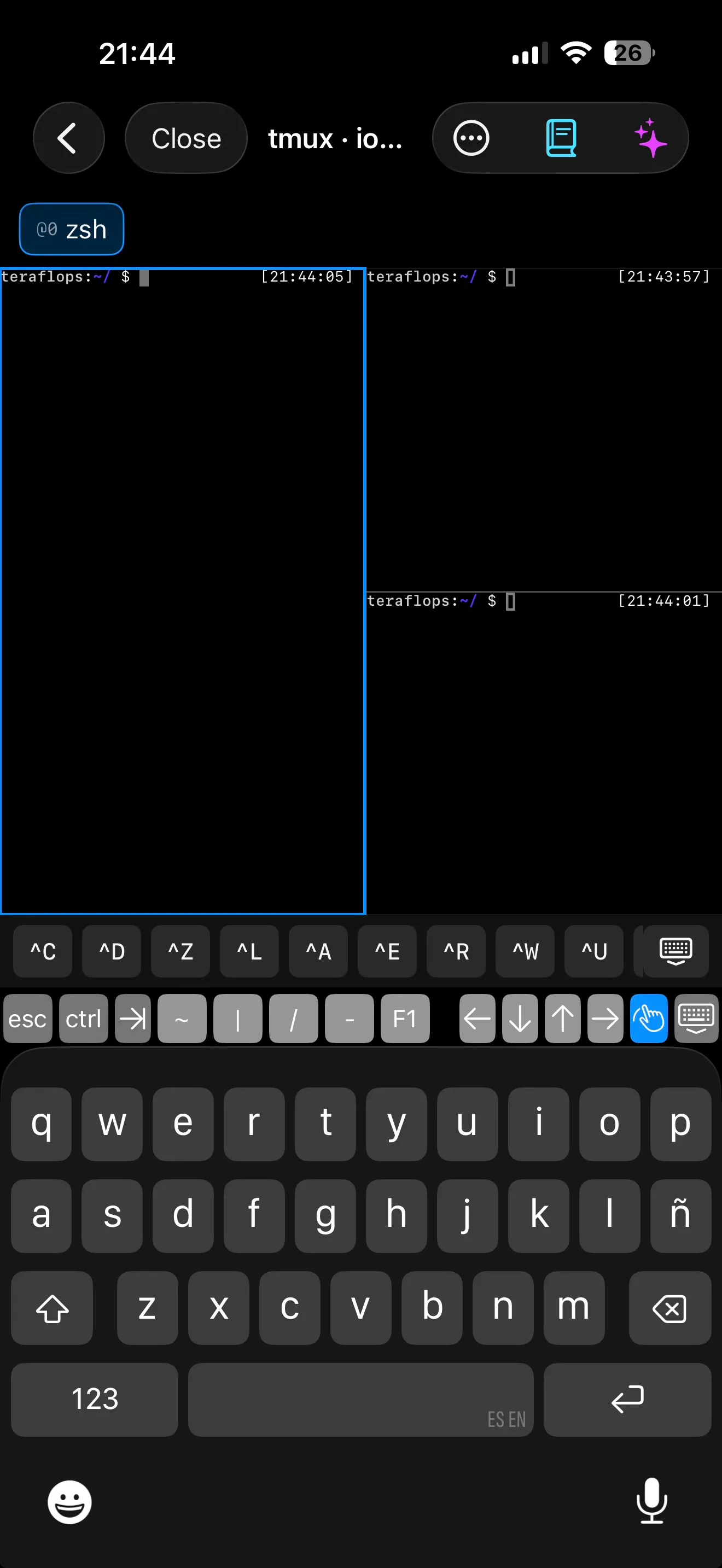
tmux panes
Files.app integration
Every server is a location.
Add a server once and it appears in the iOS Files app next to iCloud Drive and your iPhone. Open remote config files in Textastic. Edit git repos in Working Copy. Drop screenshots straight onto a webroot. The file provider speaks SFTP — no extra setup on the server.
- Open, edit, save — all over SFTP.
- Works with Textastic, Working Copy, a-Shell, Pages.
- iOS caches nothing it shouldn't.
- Uses the same key as the terminal.
Each server you add registers as an iOS File Provider domain, so it lives right next to iCloud Drive and Dropbox — nothing custom, nothing sideloaded.
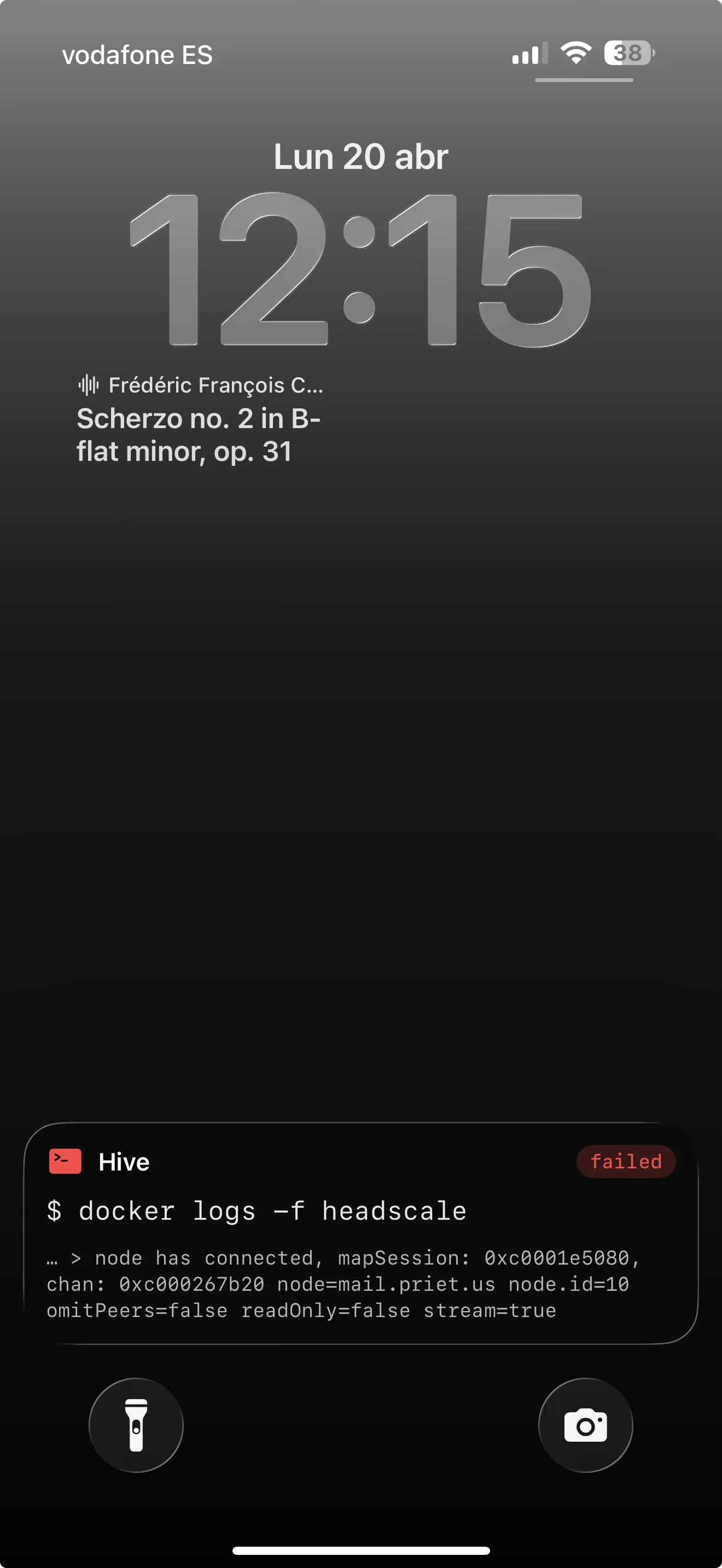
Lock screen
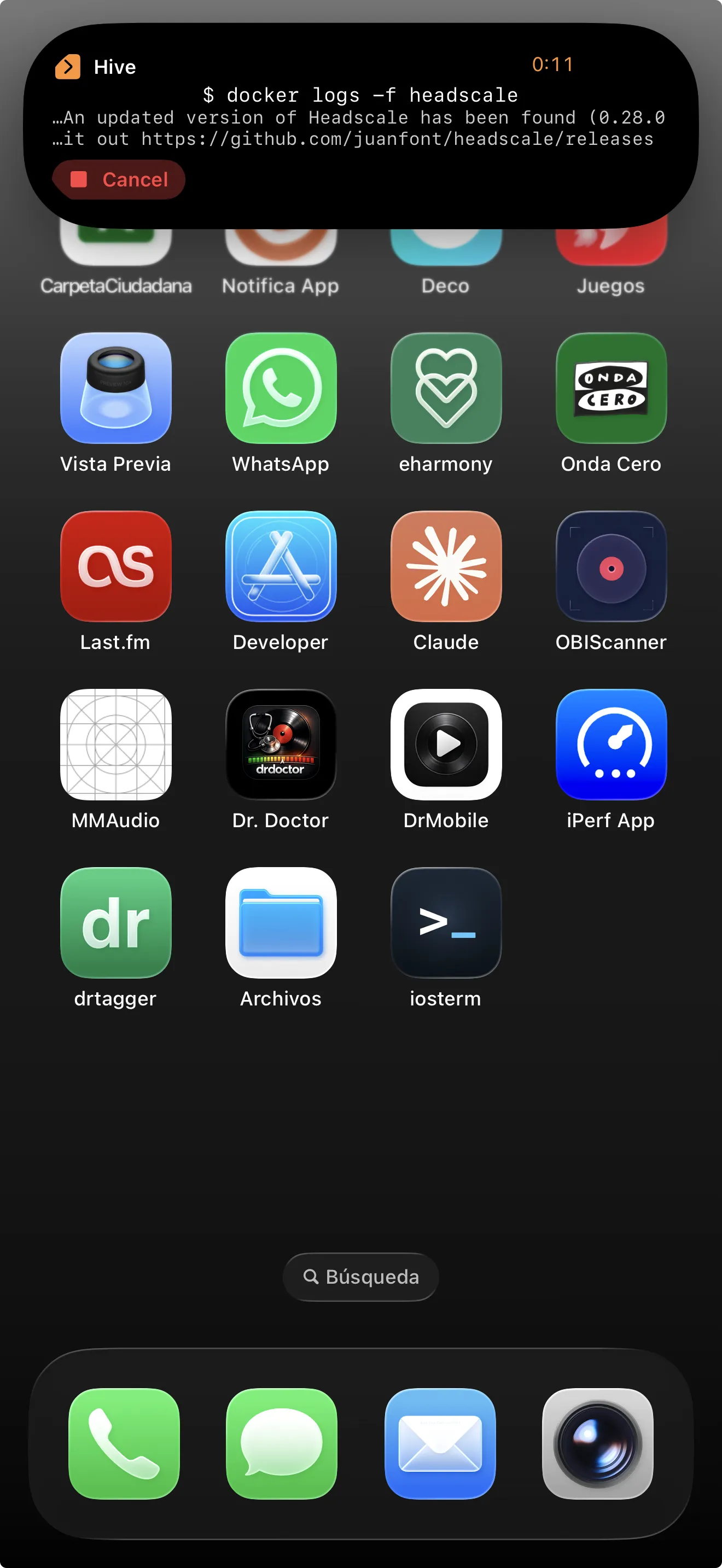
Dynamic Island
Live Activities · Widgets · Intents
Long-running jobs on the Lock Screen.
Start a docker logs -f, tail a build, watch a cron — and keep an eye on it from the Dynamic Island, the Lock Screen, or a Home Screen widget. When the command succeeds or fails, the activity updates in place.
-
Live Activities
Commands run in the background and post updates to Dynamic Island & Lock Screen. Success, failure, and exit code — at a glance.
-
Siri & App Intents
"Hey Siri, restart nginx on hive." App Intents for Connect, Run Command, Healthcheck, Restart Service, and Cancel Command — donated for every server you add.
-
Home Screen widgets
A widget per server with live healthcheck status and one-tap connect. Pin a glanceable panel of your fleet right on the Home Screen.
AI · optional · bring your own key
Help when you need it. Silent when you don't.
Two opt-in AI touches, both off until you add your own Anthropic API key. An AI Assistant drawer for context-aware help, and a command generator for turning plain English into a shell command you review before it runs.
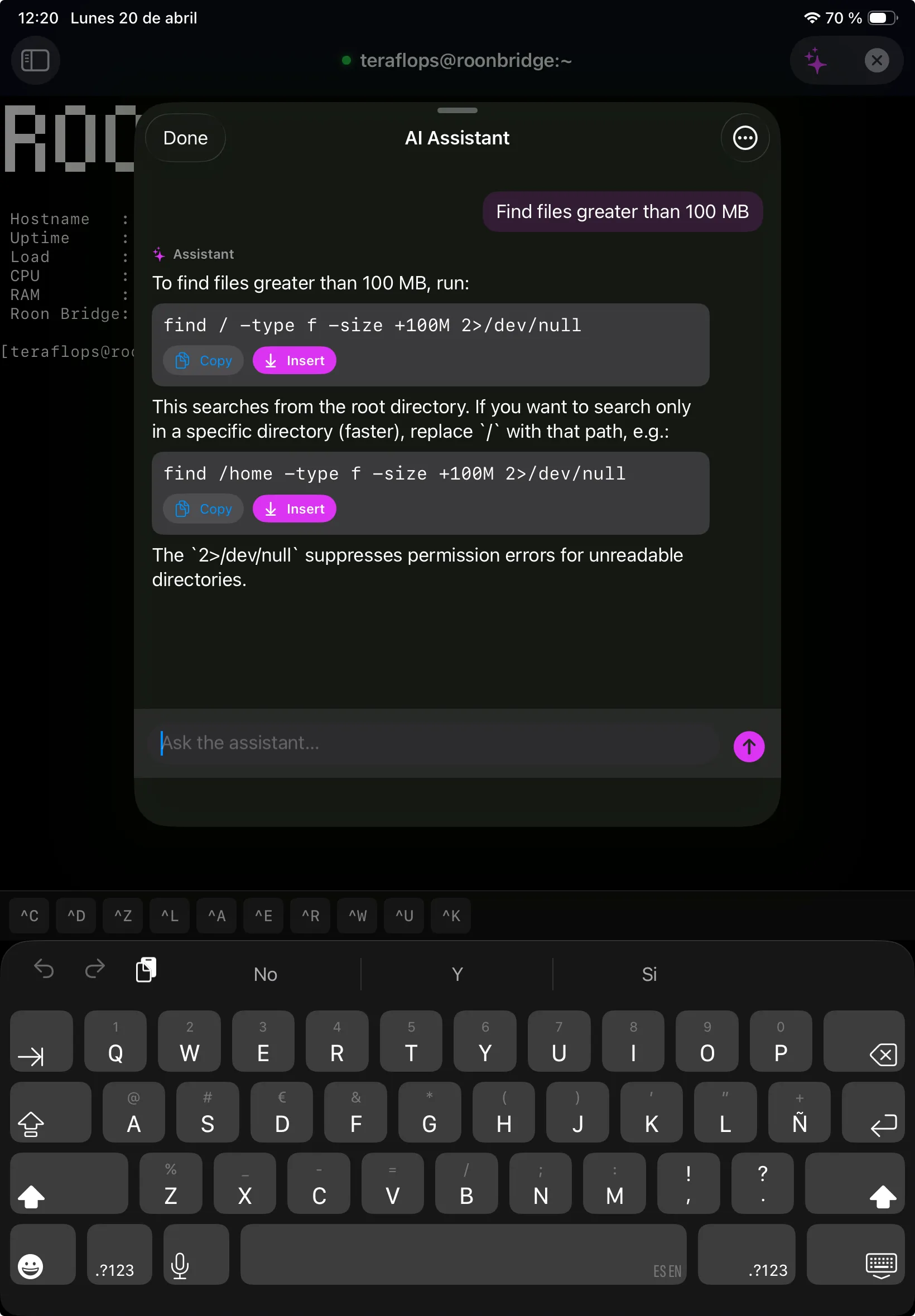
AI Assistant drawer
Ask about your terminal output.
Pull up the drawer from any session. Ask what an error means, get a command from a natural-language description, or paste logs for a second opinion. Tap Insert to drop a suggestion straight into your prompt.
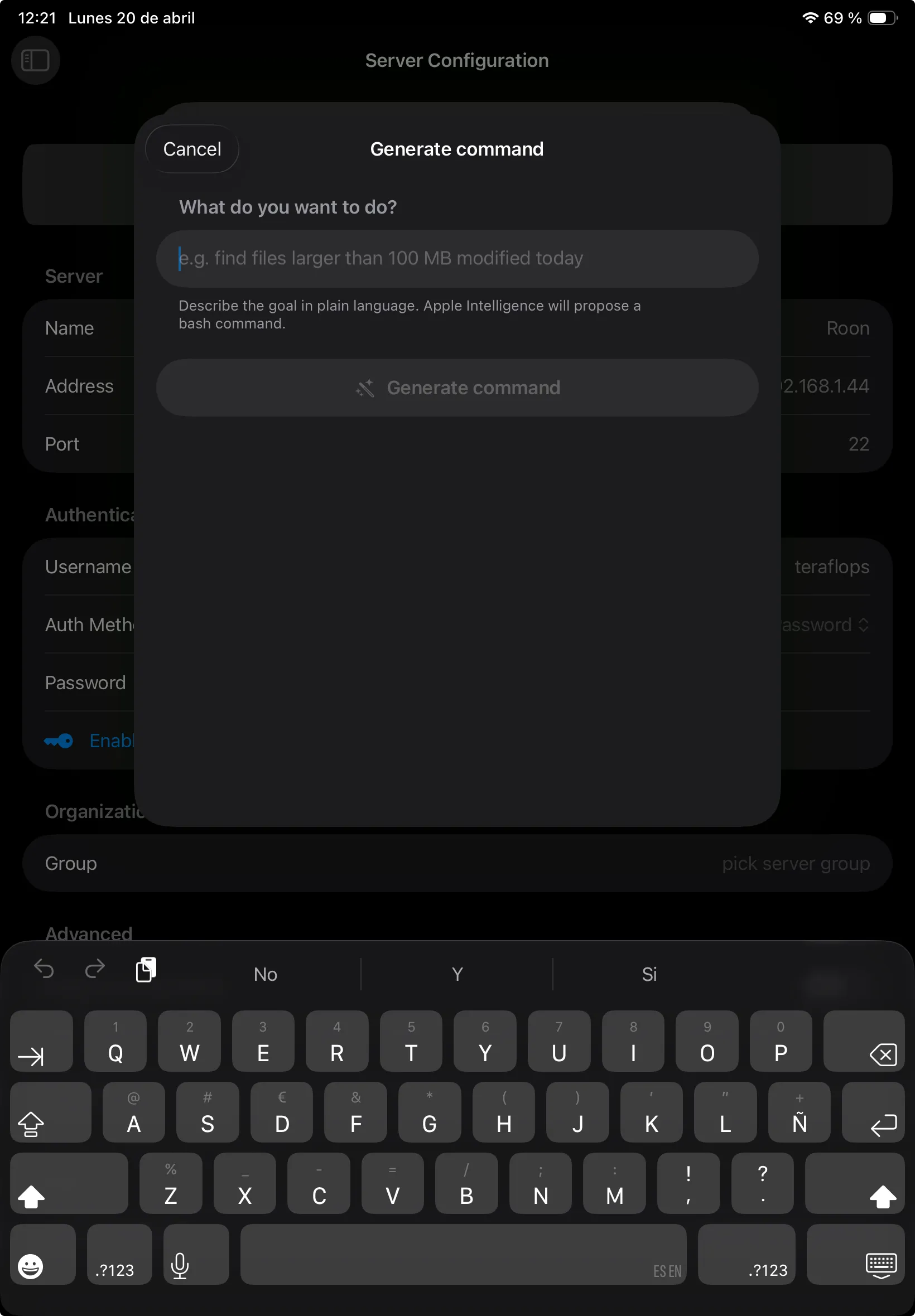
Generate command
Plain English → shell command.
Describe what you want — "find files larger than 100 MB modified today" — and get a bash command you can inspect before running. Your device talks to Anthropic directly with your key; the developer runs no backend and sees nothing.
Your key, your account
Add your own Anthropic API key in Settings. Requests go from your device to api.anthropic.com and nowhere else — no proxy, no shared quota.
Opt-in
With no key configured there is no AI traffic at all — the buttons don't even appear. Remove the key and the features vanish again.
You review every command
Suggestions appear in a preview, never auto-executed. You tap Insert, read, then press Return.
Alternative icons
Pick your aesthetic.
Four alternate app icons built in. Swap them from Settings — your Home Screen will thank you.
-

Standard
Deep navy, cyan caret
-

Amber
Warm CRT, vt100 nostalgia
-

Matrix
Phosphor green on black
-

Synthwave
Hot pink caret, late nights
Privacy · TL;DR
Your data goes where you send it.
IOSTerm doesn't have a backend. There's nothing for it to phone home to, no account system, no analytics SDK. The things you'd expect to stay on your device actually do.
Read the full privacy policy-
Zero analytics
No SDKs, no event pipelines, no crash reporters. The developer has no dashboards to look at.
-
Secrets in Keychain
Passwords and private keys live in the iOS Keychain. iCloud Keychain syncs E2E across your Apple devices.
-
SSH traffic direct
Your device opens a TCP socket to your server. No relay, no proxy, no "cloud sync" of sessions.
-
AI is opt-in, BYOK
Off by default. If enabled, your device talks directly to Anthropic with your own API key.
-
iCloud is yours
Command history and drafts sit in your private CloudKit database. The developer can't read it.
-
No account
You never sign up for anything with the developer. There is no account to leak.
Ready when you are
On the App Store.
IOSTerm 9.2 is available now for iPhone and iPad. One-time purchase — no accounts, no subscriptions, no ads. Bring a YubiKey if you have one.
- Version
- 9.2
- Devices
- iPhone · iPad
- Minimum
- iOS 17
- Pricing
- One-time purchase